How to Download, Install & Activate Mastercam 2027 | Camnity
Camnity · CAM Setup Guide
How to Download, Install & Activate Mastercam 2027
A complete, no-guesswork walkthrough for getting Mastercam 2027 running on your laptop or computer from the official download to your first activated session. Follow along with the
videos embedded in each section below.
N10 DOWNLOADN20 INSTALLN30 ACTIVATE
SYSTEM: MASTERCAM 2027STATUS: READYSTEPS: 03EST. TIME: 25–40 MIN
Every Mastercam course we teach at Camnity starts the same way: a clean install and a
properly activated license. Work through these three steps in order.
N10
How to Download Mastercam 2027
Mastercam is only distributed through your Mastercam account and your authorized
reseller never through third-party download sites. Watch the video below, then
follow the steps underneath it.
Sign in to your Mastercam account.
Open the Download Manager and select Mastercam 2027 from the list of available versions.
Start the download and let the full installer package finish downloading before closing the browser or portal window.
Verify the file by checking the file size against the portal listing, then move it to a folder you'll remember for the install step.
Tip: Download on a wired connection where possible. The Mastercam 2027
package is large, and an interrupted download is the most common cause of installer
errors in Step N20.
Working through an older course, or need to match a version your shop is still running?
Grab the installer for any Mastercam release below.
Installation takes 15–20 minutes depending on your machine. Close any open CAD/CAM
software first, and make sure you're logged in as an administrator.
Right-click the installer and choose Run as administrator to avoid permission errors mid-install.
Accept the license agreement and select an install location the default drive is fine for most setups.
Restart your computer once the installer confirms completion, even if it isn't strictly required — it clears up licensing service conflicts later.
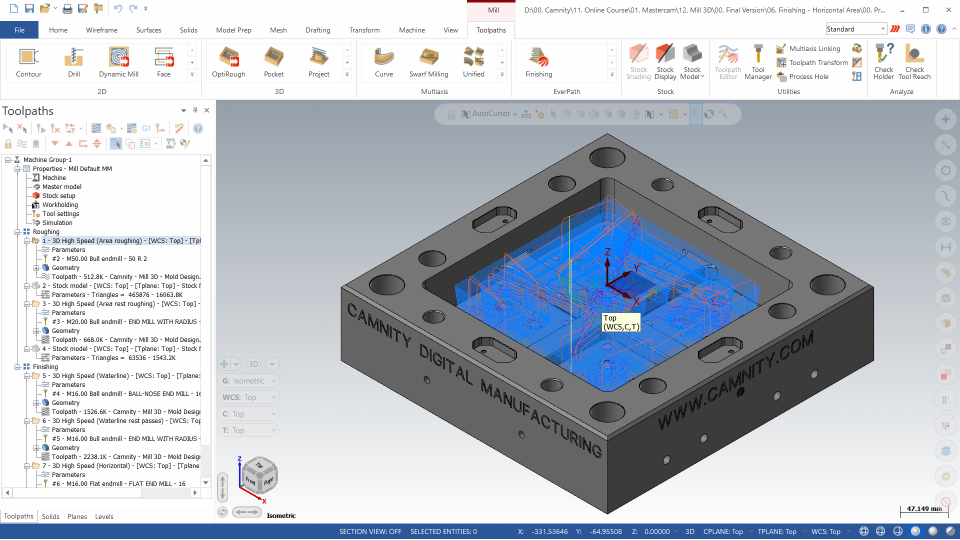
Once Mastercam 2027 launches for the first time, take a moment to look around the
updated interface before moving on to activation.
Heads up: If your antivirus flags the installer, add an exception for
the setup file. This is a known false-positive with large CAD/CAM installers and doesn't
indicate a corrupted download.
N30
How to Activate Mastercam 2027
Mastercam won't open in full functionality until it's activated against your license whether that's a standalone license, a network/floating license, or a trial license
issued through your reseller.
Open the Mastercam License Manager, which launches automatically the first time you open Mastercam 2027 without an active license.
Enter your activation code or license file exactly as issued.
Connect to activate this briefly contacts the Mastercam licensing server to validate and register your seat.
Confirm activation in the License Manager, then relaunch Mastercam 2027 to start working in the fully licensed application.
With Mastercam 2027 downloaded, installed, and activated, you're set up to begin the
Camnity Mastercam Programming course from the very first toolpath.

 Launch your Graphy